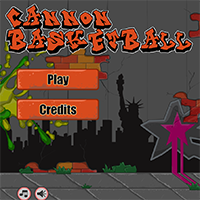
CANNON BASKETBALL















SIMILAR GAMES
































Description


Cannon BasketBall - Unblocked Games at School
About Cannon BasketBall - Unblocked Games at School
Cannon BasketBall is an engaging digital recreation that combines the excitement of shooting hoops with the precision of artillery mechanics. Players launch a basketball from a cannon, aiming to score points while navigating various obstacles and environments that test both timing and strategic thinking. The game’s design encourages quick decision‑making and fosters a competitive spirit among peers, making it a frequent choice for classroom entertainment during short breaks.
Why Cannon BasketBall Stands Out Among Unblocked Games
The appeal of Cannon BasketBall lies in its simple yet addictive gameplay, which can be accessed directly through web browsers without the need for downloads or installations. This accessibility ensures that students can launch the game on school computers during designated free periods, provided the network permits unblocked content. The intuitive control scheme—often involving mouse clicks or taps to adjust angle and power—makes it easy for newcomers while still offering depth for seasoned players who aim to master advanced shooting techniques.
How to Play Cannon BasketBall Effectively
To excel at Cannon BasketBall, follow these key steps:
- Adjust Angle and Power: Use the on‑screen sliders to set the optimal trajectory. A higher angle increases arc, while more power adds velocity.
- Account for Obstacles: Many levels introduce moving platforms, wind currents, or defensive structures that require precise calculations.
- Utilize Bounce Mechanics: Some basketballs can rebound off walls or ceilings, enabling creative shot compositions.
- Collect Bonus Items: Certain versions embed power‑ups such as multipliers or extra lives that boost score potential.
Practicing these techniques repeatedly sharpens reflexes and improves accuracy, turning each session into a rewarding learning experience.
Strategies to Maximize Scores
Advanced players often employ the following strategies to climb the leaderboards:
- Angle Optimization: Experiment with angles between 30° and 55° to find the sweet spot that balances distance and height.
- Power Management: Reserve excess power for levels with steep inclines or fast‑moving obstacles.
- Pattern Recognition: Study the timing of moving barriers and plan shots accordingly.
- Combo Execution: Chain multiple successful shots in quick succession to trigger combo multipliers.
Applying these tactics consistently can significantly elevate performance, especially in competitive school tournaments.
Benefits of Incorporating Cannon BasketBall in Educational Settings
Integrating Cannon BasketBall into classroom activities offers several educational advantages:
- Hand‑Eye Coordination: The game demands precise timing, helping students develop fine motor skills.
- Spatial Reasoning: Players must visualize trajectories and predict collisions, enhancing geometric understanding.
- Team Collaboration: Multiplayer modes encourage communication and strategic planning among peers.
- Stress Relief: Short, enjoyable gaming sessions provide a mental break, supporting overall well‑being.
These benefits align with modern pedagogical goals of fostering interactive and immersive learning environments.
Safety and Responsible Gaming Practices
While Cannon BasketBall is designed for light‑hearted entertainment, schools should promote responsible usage:
- Limit playtime to ensure it does not interfere with academic responsibilities.
- Monitor network usage to prevent bandwidth overload during peak hours.
- Encourage courteous behavior, such as refraining from disruptive sound effects.
- Report any technical glitches or inappropriate content to the platform administrators.
By establishing clear boundaries, educational institutions can maintain a safe and focused digital atmosphere.
Exploring Similar Unblocked Games on UBG at School
Students who enjoy Cannon BasketBall often discover other entertaining titles available on the same platform. For a curated collection of unblocked experiences, visit UBG at School where a variety of games are organized for easy access. Whether seeking sports simulations, puzzle challenges, or adventure quests, the site offers diverse options that cater to different interests and skill levels.
Future Updates and Community Involvement
The developers behind Cannon BasketBall actively seek feedback from the player community to shape upcoming releases. Anticipated features include:
- New levels with dynamic weather effects.
- Customizable basketball skins and cannon upgrades.
- Leaderboard integration that tracks school‑wide rankings.
- Multiplayer matchmaking for real‑time competition.
Engaging with the community through forums or classroom discussions can provide valuable insights and foster a sense of shared ownership over the game’s evolution.
Conclusion
Cannon BasketBall exemplifies how interactive digital experiences can enrich school environments by blending entertainment with educational value. Its blend of strategic depth, accessibility, and collaborative potential ensures that it remains a favored pastime for students seeking a quick, skill‑building diversion. By embracing responsible gaming habits and exploring the broader array of titles hosted on the platform, learners can continue to discover new ways to sharpen their minds while enjoying the excitement of unblocked play.
Play Cannon BasketBall for free on Unblocked Games at School,
Discover a platform packed with thousands of top-tier games, completely ad-free and simple to enjoy from any location. Get ready for endless fun with our unblocked games—play using your keyboard or just a click!
How to Play Unblocked Games on ubgatschool.gitlab.io
Steps to Play
Playing unblocked games on ubgatschool.gitlab.io is straightforward and designed for quick access, especially in environments like schools where gaming sites might be restricted. Follow these steps to get started:
- Access the Website: Open a web browser (Chrome, Firefox, or Edge work well) and navigate to ubgatschool.gitlab.io. The site is optimized for instant play, so no downloads or installations are needed.
- Browse the Game Library: Once on the homepage, you’ll see a collection of games across various genres like action, adventure, puzzle, sports, or strategy. Scroll through or use any available search or category filters to find a game that interests you.
- Select a Game: Click on a game’s icon or title. The site is designed to load games directly in your browser, often in fullscreen mode for an immersive experience.
- Start Playing: Most games launch immediately without additional setup. Some may have a brief loading screen. If a game offers customizable settings (like graphics or sound), adjust them before starting for the best experience.
- Bypass Restrictions (if needed): If the site is blocked on a school network, try accessing it via a different device or network. Some users report success by using .io or GitLab links, as these are less likely to be flagged by filters.
- Enjoy Ad-Free Gaming: The platform aims to provide an uninterrupted experience, so you can focus on gameplay without pop-ups or ads.
Game Controls
Controls vary by game genre, but below are common setups for popular types of games you’re likely to find on ubgatschool.gitlab.io. Check individual game instructions for specific details, as some titles may use unique configurations.
Action/Platformer Games (e.g., Stickman games, Retro Bowl)
- Arrow Keys or WASD: Move character left, right, up, or jump.
- Spacebar: Attack, shoot, or perform special actions.
- Shift: Sprint or dodge (in some games).
- Mouse Click: Aim or interact with objects (if applicable).
Puzzle/Strategy Games (e.g., 2048, Geometry Dash)
- Arrow Keys: Navigate tiles, pieces, or menus.
- Mouse Click/Drag: Select or move items (common in match-3 or building games).
- Spacebar: Pause or confirm selections.
- Enter: Start or restart the game.
Sports/Racing Games (e.g., Slope Game)
- Arrow Keys or WASD: Steer vehicle or control player movement.
- Spacebar: Accelerate or jump.
- Shift: Brake or boost (in racing titles).
- Mouse: Adjust camera angle or aim (in some sports games).
Multiplayer/Arcade Games (e.g., Slither.io)
- Mouse: Guide character or cursor (especially in .io-style games).
- Left Click: Boost speed or activate abilities.
- Arrow Keys: Alternative movement controls in some titles.
- Spacebar: Pause or trigger special moves.
Tips for Smooth Gameplay
- Check Game Instructions: Many games include a tutorial or control guide on the start screen.
- Adjust Settings: If a game feels laggy, lower graphics settings (if available) to match your device’s capabilities.
- Stay Responsive: Some games, especially action titles, rely on quick reactions, so ensure your keyboard or mouse is functioning well.
- Bookmark the Site: Save ubgatschool.gitlab.io for easy access during breaks.
This setup should help you dive into gaming on ubgatschool.gitlab.io with ease. If you add specific games or control schemes later, consider including a “Controls” section on each game’s page for clarity. Enjoy gaming!
How to Play Unblocked Games on ubgatschool.gitlab.io
Steps to Play
Playing unblocked games on ubgatschool.gitlab.io is straightforward and designed for quick access, especially in environments like schools where gaming sites might be restricted. Follow these steps to get started:
- Access the Website: Open a web browser (Chrome, Firefox, or Edge work well) and navigate to ubgatschool.gitlab.io. The site is optimized for instant play, so no downloads or installations are needed.
- Browse the Game Library: Once on the homepage, you’ll see a collection of games across various genres like action, adventure, puzzle, sports, or strategy. Scroll through or use any available search or category filters to find a game that interests you.
- Select a Game: Click on a game’s icon or title. The site is designed to load games directly in your browser, often in fullscreen mode for an immersive experience.
- Start Playing: Most games launch immediately without additional setup. Some may have a brief loading screen. If a game offers customizable settings (like graphics or sound), adjust them before starting for the best experience.
- Bypass Restrictions (if needed): If the site is blocked on a school network, try accessing it via a different device or network. Some users report success by using .io or GitLab links, as these are less likely to be flagged by filters.
- Enjoy Ad-Free Gaming: The platform aims to provide an uninterrupted experience, so you can focus on gameplay without pop-ups or ads.
Game Controls
Controls vary by game genre, but below are common setups for popular types of games you’re likely to find on ubgatschool.gitlab.io. Check individual game instructions for specific details, as some titles may use unique configurations.
Action/Platformer Games (e.g., Stickman games, Retro Bowl)
- Arrow Keys or WASD: Move character left, right, up, or jump.
- Spacebar: Attack, shoot, or perform special actions.
- Shift: Sprint or dodge (in some games).
- Mouse Click: Aim or interact with objects (if applicable).
Puzzle/Strategy Games (e.g., 2048, Geometry Dash)
- Arrow Keys: Navigate tiles, pieces, or menus.
- Mouse Click/Drag: Select or move items (common in match-3 or building games).
- Spacebar: Pause or confirm selections.
- Enter: Start or restart the game.
Sports/Racing Games (e.g., Slope Game)
- Arrow Keys or WASD: Steer vehicle or control player movement.
- Spacebar: Accelerate or jump.
- Shift: Brake or boost (in racing titles).
- Mouse: Adjust camera angle or aim (in some sports games).
Multiplayer/Arcade Games (e.g., Slither.io)
- Mouse: Guide character or cursor (especially in .io-style games).
- Left Click: Boost speed or activate abilities.
- Arrow Keys: Alternative movement controls in some titles.
- Spacebar: Pause or trigger special moves.
Tips for Smooth Gameplay
- Check Game Instructions: Many games include a tutorial or control guide on the start screen.
- Adjust Settings: If a game feels laggy, lower graphics settings (if available) to match your device’s capabilities.
- Stay Responsive: Some games, especially action titles, rely on quick reactions, so ensure your keyboard or mouse is functioning well.
- Bookmark the Site: Save ubgatschool.gitlab.io for easy access during breaks.
This setup should help you dive into gaming on ubgatschool.gitlab.io with ease. If you add specific games or control schemes later, consider including a “Controls” section on each game’s page for clarity. Enjoy gaming!