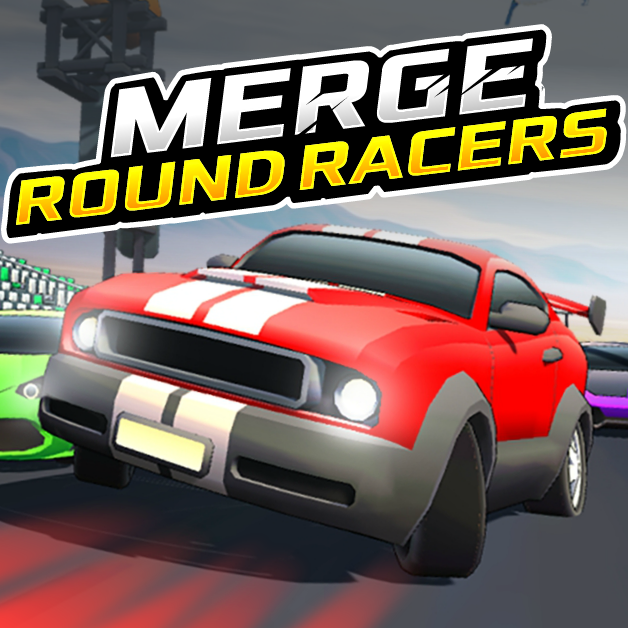
MERGE ROUND RACERS










SIMILAR GAMES
































Description


Merge Round Racers - Unblocked Games at School
About Merge Round Racers - Unblocked Games at School
When we look for unblocked games at school that combine excitement with strategic depth, Merge Round Racers stands out as a top choice. The game offers a seamless blend of racing, puzzle solving, and multiplayer competition, making it ideal for students who want a quick yet engaging break between classes. Our team has tested the title extensively on the UBG at School platform, confirming that it runs smoothly on school computers without requiring additional plugins or downloads.
Why Merge Round Racers Is the Best Unblocked Game for School
We have identified several reasons why Merge Round Racers dominates the unblocked games category on school networks:
- Instant Access: The game loads directly from the browser, eliminating the need for installations.
- Low System Requirements: It runs efficiently on modest hardware, ensuring compatibility with most school devices.
- Safe Environment: All content is appropriate for educational settings, with no violent or mature themes.
- Community Interaction: Players can join peers in real‑time races, fostering teamwork and friendly competition.
How to Play Merge Round Racers on School Computers
We guide you through the simple steps to start playing Merge Round Racers during a free period:
- Open a web browser and navigate to https://ubgatschool.gitlab.io/.
- Locate the Merge Round Racers section under the Unblocked Games menu.
- Click the Play Now button; the game will load instantly.
- Choose your vehicle, customize its attributes, and enter the racing arena.
Once the race begins, we recommend focusing on merging similar items to boost speed and outmaneuver opponents. Mastering this merge mechanic is essential for achieving high scores.
Detailed Gameplay Overview
Core Mechanics
We break down the fundamental systems that drive Merge Round Racers:
- Vehicle Fusion: Combine two identical parts to create a superior component, increasing velocity and handling.
- Round‑Based Tracks: Each race consists of multiple laps where players must strategically merge items to maintain momentum.
- Power‑Up Zones: Designated areas on the track grant temporary boosts when overlapped with merged objects.
Strategic Tips from Our Team
We share proven strategies that elevate performance:
- Prioritize Early Merges: Securing basic merges early builds a foundation for advanced upgrades.
- Control Placement: Position merged items near power‑up zones to maximize speed gains.
- Anticipate Opponents: Observe rival patterns and block critical merge pathways.
- Preserve Momentum: Avoid unnecessary collisions that reset your speed multiplier.
Benefits of Playing Unblocked Games at School
We recognize that unblocked games such as Merge Round Racers provide educational advantages when used responsibly:
- Enhanced cognitive flexibility through puzzle‑based mechanics.
- Improved collaborative skills via multiplayer interaction.
- Stress relief that supports mental well‑being during intensive study periods.
Safety and Moderation on the UBG at School Platform
We ensure that every game on UBG at School meets strict safety standards:
- All content is vetted for age‑appropriateness.
- No intrusive advertisements or hidden downloads are present.
- Parental controls can be activated through the platform’s settings.
These measures guarantee a secure environment where students can enjoy Merge Round Racers without compromising school policies.
Future Updates and Community Involvement
We monitor upcoming developments for Merge Round Racers and encourage student participation:
- New vehicle skins will be released monthly, allowing personal expression.
- Seasonal events introduce unique merge challenges with exclusive rewards.
- Community feedback is gathered through surveys hosted on the site, shaping future gameplay tweaks.
By staying engaged, we help shape a vibrant gaming ecosystem that supports both entertainment and educational growth.
Play Merge Round Racers for free on Unblocked Games at School,
Discover a platform packed with thousands of top-tier games, completely ad-free and simple to enjoy from any location. Get ready for endless fun with our unblocked games—play using your keyboard or just a click!
How to Play Unblocked Games on ubgatschool.gitlab.io
Steps to Play
Playing unblocked games on ubgatschool.gitlab.io is straightforward and designed for quick access, especially in environments like schools where gaming sites might be restricted. Follow these steps to get started:
- Access the Website: Open a web browser (Chrome, Firefox, or Edge work well) and navigate to ubgatschool.gitlab.io. The site is optimized for instant play, so no downloads or installations are needed.
- Browse the Game Library: Once on the homepage, you’ll see a collection of games across various genres like action, adventure, puzzle, sports, or strategy. Scroll through or use any available search or category filters to find a game that interests you.
- Select a Game: Click on a game’s icon or title. The site is designed to load games directly in your browser, often in fullscreen mode for an immersive experience.
- Start Playing: Most games launch immediately without additional setup. Some may have a brief loading screen. If a game offers customizable settings (like graphics or sound), adjust them before starting for the best experience.
- Bypass Restrictions (if needed): If the site is blocked on a school network, try accessing it via a different device or network. Some users report success by using .io or GitLab links, as these are less likely to be flagged by filters.
- Enjoy Ad-Free Gaming: The platform aims to provide an uninterrupted experience, so you can focus on gameplay without pop-ups or ads.
Game Controls
Controls vary by game genre, but below are common setups for popular types of games you’re likely to find on ubgatschool.gitlab.io. Check individual game instructions for specific details, as some titles may use unique configurations.
Action/Platformer Games (e.g., Stickman games, Retro Bowl)
- Arrow Keys or WASD: Move character left, right, up, or jump.
- Spacebar: Attack, shoot, or perform special actions.
- Shift: Sprint or dodge (in some games).
- Mouse Click: Aim or interact with objects (if applicable).
Puzzle/Strategy Games (e.g., 2048, Geometry Dash)
- Arrow Keys: Navigate tiles, pieces, or menus.
- Mouse Click/Drag: Select or move items (common in match-3 or building games).
- Spacebar: Pause or confirm selections.
- Enter: Start or restart the game.
Sports/Racing Games (e.g., Slope Game)
- Arrow Keys or WASD: Steer vehicle or control player movement.
- Spacebar: Accelerate or jump.
- Shift: Brake or boost (in racing titles).
- Mouse: Adjust camera angle or aim (in some sports games).
Multiplayer/Arcade Games (e.g., Slither.io)
- Mouse: Guide character or cursor (especially in .io-style games).
- Left Click: Boost speed or activate abilities.
- Arrow Keys: Alternative movement controls in some titles.
- Spacebar: Pause or trigger special moves.
Tips for Smooth Gameplay
- Check Game Instructions: Many games include a tutorial or control guide on the start screen.
- Adjust Settings: If a game feels laggy, lower graphics settings (if available) to match your device’s capabilities.
- Stay Responsive: Some games, especially action titles, rely on quick reactions, so ensure your keyboard or mouse is functioning well.
- Bookmark the Site: Save ubgatschool.gitlab.io for easy access during breaks.
This setup should help you dive into gaming on ubgatschool.gitlab.io with ease. If you add specific games or control schemes later, consider including a “Controls” section on each game’s page for clarity. Enjoy gaming!
How to Play Unblocked Games on ubgatschool.gitlab.io
Steps to Play
Playing unblocked games on ubgatschool.gitlab.io is straightforward and designed for quick access, especially in environments like schools where gaming sites might be restricted. Follow these steps to get started:
- Access the Website: Open a web browser (Chrome, Firefox, or Edge work well) and navigate to ubgatschool.gitlab.io. The site is optimized for instant play, so no downloads or installations are needed.
- Browse the Game Library: Once on the homepage, you’ll see a collection of games across various genres like action, adventure, puzzle, sports, or strategy. Scroll through or use any available search or category filters to find a game that interests you.
- Select a Game: Click on a game’s icon or title. The site is designed to load games directly in your browser, often in fullscreen mode for an immersive experience.
- Start Playing: Most games launch immediately without additional setup. Some may have a brief loading screen. If a game offers customizable settings (like graphics or sound), adjust them before starting for the best experience.
- Bypass Restrictions (if needed): If the site is blocked on a school network, try accessing it via a different device or network. Some users report success by using .io or GitLab links, as these are less likely to be flagged by filters.
- Enjoy Ad-Free Gaming: The platform aims to provide an uninterrupted experience, so you can focus on gameplay without pop-ups or ads.
Game Controls
Controls vary by game genre, but below are common setups for popular types of games you’re likely to find on ubgatschool.gitlab.io. Check individual game instructions for specific details, as some titles may use unique configurations.
Action/Platformer Games (e.g., Stickman games, Retro Bowl)
- Arrow Keys or WASD: Move character left, right, up, or jump.
- Spacebar: Attack, shoot, or perform special actions.
- Shift: Sprint or dodge (in some games).
- Mouse Click: Aim or interact with objects (if applicable).
Puzzle/Strategy Games (e.g., 2048, Geometry Dash)
- Arrow Keys: Navigate tiles, pieces, or menus.
- Mouse Click/Drag: Select or move items (common in match-3 or building games).
- Spacebar: Pause or confirm selections.
- Enter: Start or restart the game.
Sports/Racing Games (e.g., Slope Game)
- Arrow Keys or WASD: Steer vehicle or control player movement.
- Spacebar: Accelerate or jump.
- Shift: Brake or boost (in racing titles).
- Mouse: Adjust camera angle or aim (in some sports games).
Multiplayer/Arcade Games (e.g., Slither.io)
- Mouse: Guide character or cursor (especially in .io-style games).
- Left Click: Boost speed or activate abilities.
- Arrow Keys: Alternative movement controls in some titles.
- Spacebar: Pause or trigger special moves.
Tips for Smooth Gameplay
- Check Game Instructions: Many games include a tutorial or control guide on the start screen.
- Adjust Settings: If a game feels laggy, lower graphics settings (if available) to match your device’s capabilities.
- Stay Responsive: Some games, especially action titles, rely on quick reactions, so ensure your keyboard or mouse is functioning well.
- Bookmark the Site: Save ubgatschool.gitlab.io for easy access during breaks.
This setup should help you dive into gaming on ubgatschool.gitlab.io with ease. If you add specific games or control schemes later, consider including a “Controls” section on each game’s page for clarity. Enjoy gaming!