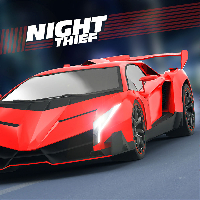
PARKING FURY 3D NIGHT THIEF















SIMILAR GAMES
































Description


Parking Fury 3D Night Thief - Unblocked Games at School
About Parking Fury 3D Night Thief - Unblocked Games at School
Parking Fury 3D Night Thief is an action‑packed driving simulation that challenges players to navigate bustling city streets under the cover of darkness while completing daring theft missions. The game blends realistic physics with fast‑paced chase sequences, making it a popular choice among students seeking a thrilling escape during break times. With its vibrant neon‑lit environment and intuitive controls, the title stands out as a top pick for unblocked gaming portals that cater to school networks.
Designed with accessibility in mind, the game runs smoothly on modest hardware and can be loaded directly through browser‑based platforms that comply with school firewall restrictions. Players assume the role of a covert driver tasked with stealing high‑value vehicles, evading security patrols, and parking precisely in designated spots before time runs out. The blend of strategy and reflexes creates a loop that encourages repeated play, fostering a community of enthusiasts who share tips and high‑score achievements.
Gameplay Overview
The core loop of Parking Fury 3D Night Thief revolves around three primary actions: driving, stealing, and parking. Each mission begins with a briefing that outlines the target vehicle, its location, and the required parking spot. Players then maneuver through crowded avenues, using on‑screen prompts to accelerate, brake, and engage special abilities such as a temporary speed boost or a stealth mode that reduces detection risk.
Mission timers add urgency, while the scoring system rewards precision, speed, and minimal property damage. Bonus points are granted for executing flawless drifts, hitting hidden collectibles, or completing secondary objectives such as rescuing a companion NPC. The progressive difficulty curve ensures that even experienced players encounter fresh challenges as they advance through levels.
Key Features
- Realistic 3‑D cityscape with dynamic lighting that shifts from sunset to deep night.
- Diverse vehicle roster ranging from compact sedans to heavy‑duty trucks, each with unique handling characteristics.
- Stealth mechanics that let players avoid detection by security cameras and patrolling guards.
- Customizable upgrades including engine tuning, nitro boosts, and visual enhancements.
- Leaderboards that track high scores, encouraging competition among peers.
How To Access The Game At School
Accessing Parking Fury 3D Night Thief on the school’s network is straightforward when using the approved portal hosted at https://ubgatschool.gitlab.io/. The platform is specifically engineered to bypass common filtering mechanisms while maintaining a safe browsing environment. Once the portal loads, locate the game thumbnail within the “Unblocked Games” section, click the entry, and the title will launch instantly in the browser window.
Students should verify that their devices meet the minimum system requirements: a modern web browser, stable internet connection, and audio playback capability for immersive sound effects. No additional downloads or plugins are necessary, preserving device integrity and adhering to school IT policies.
Tips And Strategies For Success
Mastery of Parking Fury 3D Night Thief hinges on a blend of tactical planning and reflexive execution. Below are essential techniques that can elevate performance and maximize scores.
- Map Familiarity: Study the layout of each mission area before initiating movement. Identify shortcuts, hidden alleys, and optimal parking zones.
- Stealth Timing: Activate stealth mode when security cameras rotate toward the player’s path. This reduces the detection radius and prevents alarm triggers.
- Vehicle Selection: Choose a vehicle that matches the mission’s demands. Compact cars excel in tight spaces, while larger trucks provide extra cargo capacity but require careful maneuvering.
- Boost Management: Reserve nitro boosts for critical chase moments or when a parking spot is out of immediate reach. Premature use can leave you vulnerable later.
- Practice Parking Angles: Use the free‑roam mode to practice aligning the vehicle with designated spots from various approaches.
Advanced Maneuvers
Advanced players can incorporate advanced techniques such as “reverse drift” to slide into parking spaces with minimal forward motion, and “camera hop” to quickly reposition the viewpoint and assess surrounding obstacles without slowing down.
Common Mistakes To Avoid
Even seasoned players may fall into predictable traps, such as neglecting to monitor the timer during high‑speed pursuits or overusing boost in congested zones, which can result in collisions and mission failure. Additionally, ignoring the on‑screen warning icons can lead to unnecessary detection and heightened security response.
Community And Competitions
The game’s built‑in leaderboard encourages friendly rivalry among classmates, while periodic events hosted on the portal introduce limited‑time challenges with exclusive rewards. Participating in these events not only sharpens skills but also fosters collaborative learning as participants exchange strategies through forum threads accessible via the same platform.
Conclusion
Parking Fury 3D Night Thief offers an engaging mix of excitement, skill development, and accessible gameplay that fits perfectly within school‑approved gaming environments. By understanding the mechanics, leveraging the features outlined above, and practicing consistently, students can fully enjoy the experience while staying within the boundaries set by their educational institution. For those eager to dive in, the official gateway remains at https://ubgatschool.gitlab.io/, where the adventure awaits.
Play Parking Fury 3D Night Thief for free on Unblocked Games at School,
Discover a platform packed with thousands of top-tier games, completely ad-free and simple to enjoy from any location. Get ready for endless fun with our unblocked games—play using your keyboard or just a click!
How to Play Unblocked Games on ubgatschool.gitlab.io
Steps to Play
Playing unblocked games on ubgatschool.gitlab.io is straightforward and designed for quick access, especially in environments like schools where gaming sites might be restricted. Follow these steps to get started:
- Access the Website: Open a web browser (Chrome, Firefox, or Edge work well) and navigate to ubgatschool.gitlab.io. The site is optimized for instant play, so no downloads or installations are needed.
- Browse the Game Library: Once on the homepage, you’ll see a collection of games across various genres like action, adventure, puzzle, sports, or strategy. Scroll through or use any available search or category filters to find a game that interests you.
- Select a Game: Click on a game’s icon or title. The site is designed to load games directly in your browser, often in fullscreen mode for an immersive experience.
- Start Playing: Most games launch immediately without additional setup. Some may have a brief loading screen. If a game offers customizable settings (like graphics or sound), adjust them before starting for the best experience.
- Bypass Restrictions (if needed): If the site is blocked on a school network, try accessing it via a different device or network. Some users report success by using .io or GitLab links, as these are less likely to be flagged by filters.
- Enjoy Ad-Free Gaming: The platform aims to provide an uninterrupted experience, so you can focus on gameplay without pop-ups or ads.
Game Controls
Controls vary by game genre, but below are common setups for popular types of games you’re likely to find on ubgatschool.gitlab.io. Check individual game instructions for specific details, as some titles may use unique configurations.
Action/Platformer Games (e.g., Stickman games, Retro Bowl)
- Arrow Keys or WASD: Move character left, right, up, or jump.
- Spacebar: Attack, shoot, or perform special actions.
- Shift: Sprint or dodge (in some games).
- Mouse Click: Aim or interact with objects (if applicable).
Puzzle/Strategy Games (e.g., 2048, Geometry Dash)
- Arrow Keys: Navigate tiles, pieces, or menus.
- Mouse Click/Drag: Select or move items (common in match-3 or building games).
- Spacebar: Pause or confirm selections.
- Enter: Start or restart the game.
Sports/Racing Games (e.g., Slope Game)
- Arrow Keys or WASD: Steer vehicle or control player movement.
- Spacebar: Accelerate or jump.
- Shift: Brake or boost (in racing titles).
- Mouse: Adjust camera angle or aim (in some sports games).
Multiplayer/Arcade Games (e.g., Slither.io)
- Mouse: Guide character or cursor (especially in .io-style games).
- Left Click: Boost speed or activate abilities.
- Arrow Keys: Alternative movement controls in some titles.
- Spacebar: Pause or trigger special moves.
Tips for Smooth Gameplay
- Check Game Instructions: Many games include a tutorial or control guide on the start screen.
- Adjust Settings: If a game feels laggy, lower graphics settings (if available) to match your device’s capabilities.
- Stay Responsive: Some games, especially action titles, rely on quick reactions, so ensure your keyboard or mouse is functioning well.
- Bookmark the Site: Save ubgatschool.gitlab.io for easy access during breaks.
This setup should help you dive into gaming on ubgatschool.gitlab.io with ease. If you add specific games or control schemes later, consider including a “Controls” section on each game’s page for clarity. Enjoy gaming!
How to Play Unblocked Games on ubgatschool.gitlab.io
Steps to Play
Playing unblocked games on ubgatschool.gitlab.io is straightforward and designed for quick access, especially in environments like schools where gaming sites might be restricted. Follow these steps to get started:
- Access the Website: Open a web browser (Chrome, Firefox, or Edge work well) and navigate to ubgatschool.gitlab.io. The site is optimized for instant play, so no downloads or installations are needed.
- Browse the Game Library: Once on the homepage, you’ll see a collection of games across various genres like action, adventure, puzzle, sports, or strategy. Scroll through or use any available search or category filters to find a game that interests you.
- Select a Game: Click on a game’s icon or title. The site is designed to load games directly in your browser, often in fullscreen mode for an immersive experience.
- Start Playing: Most games launch immediately without additional setup. Some may have a brief loading screen. If a game offers customizable settings (like graphics or sound), adjust them before starting for the best experience.
- Bypass Restrictions (if needed): If the site is blocked on a school network, try accessing it via a different device or network. Some users report success by using .io or GitLab links, as these are less likely to be flagged by filters.
- Enjoy Ad-Free Gaming: The platform aims to provide an uninterrupted experience, so you can focus on gameplay without pop-ups or ads.
Game Controls
Controls vary by game genre, but below are common setups for popular types of games you’re likely to find on ubgatschool.gitlab.io. Check individual game instructions for specific details, as some titles may use unique configurations.
Action/Platformer Games (e.g., Stickman games, Retro Bowl)
- Arrow Keys or WASD: Move character left, right, up, or jump.
- Spacebar: Attack, shoot, or perform special actions.
- Shift: Sprint or dodge (in some games).
- Mouse Click: Aim or interact with objects (if applicable).
Puzzle/Strategy Games (e.g., 2048, Geometry Dash)
- Arrow Keys: Navigate tiles, pieces, or menus.
- Mouse Click/Drag: Select or move items (common in match-3 or building games).
- Spacebar: Pause or confirm selections.
- Enter: Start or restart the game.
Sports/Racing Games (e.g., Slope Game)
- Arrow Keys or WASD: Steer vehicle or control player movement.
- Spacebar: Accelerate or jump.
- Shift: Brake or boost (in racing titles).
- Mouse: Adjust camera angle or aim (in some sports games).
Multiplayer/Arcade Games (e.g., Slither.io)
- Mouse: Guide character or cursor (especially in .io-style games).
- Left Click: Boost speed or activate abilities.
- Arrow Keys: Alternative movement controls in some titles.
- Spacebar: Pause or trigger special moves.
Tips for Smooth Gameplay
- Check Game Instructions: Many games include a tutorial or control guide on the start screen.
- Adjust Settings: If a game feels laggy, lower graphics settings (if available) to match your device’s capabilities.
- Stay Responsive: Some games, especially action titles, rely on quick reactions, so ensure your keyboard or mouse is functioning well.
- Bookmark the Site: Save ubgatschool.gitlab.io for easy access during breaks.
This setup should help you dive into gaming on ubgatschool.gitlab.io with ease. If you add specific games or control schemes later, consider including a “Controls” section on each game’s page for clarity. Enjoy gaming!