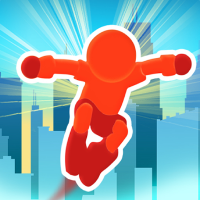
PARKOUR RACE















SIMILAR GAMES
































Description


Parkour Race - Unblocked Games at School
About Parkour Race - Unblocked Games at School
We deliver an immersive Parkour Race experience designed for school environments where traditional gaming sites are often restricted. The platform utilizes lightweight HTML5 and JavaScript technology to run smoothly on modest hardware while maintaining an unblocked status that bypasses typical network filters. Players navigate a series of increasingly complex courses that simulate real‑world parkour movements such as vaults, wall runs, and precision jumps, all rendered in crisp, vibrant graphics that capture the energy of urban freerunning.
Gameplay Overview
Each session begins with a brief tutorial that guides new players through the core mechanics. Movement is controlled using the arrow keys for direction and the space bar for jumps, while the shift key enables sprinting. Players must master timing and momentum to chain tricks together, earning combo points that increase the score multiplier. The objective of every race is to reach the finish line before the timer expires, but the true challenge lies in collecting scattered energy orbs that boost speed and provide temporary invincibility.
Key Features
- Fast‑paced obstacle courses that test agility and reflexes.
- Dynamic environmental hazards including moving platforms and rotating barriers.
- Customizable character skins that can be unlocked through in‑game achievements.
- Leaderboards that record the highest scores for each level, encouraging repeated play.
- Multiplayer mode that allows friends to compete in real time, fostering a competitive yet friendly atmosphere.
Obstacle Types and Strategies
Understanding the variety of obstacles is essential for success. Players encounter:
- Walls that require wall‑run techniques to maintain velocity.
- Rails that can be slid across for rapid traversal.
- Pits that demand precise long‑jump calculations.
- Spinners that rotate the player’s orientation, adding a layer of spatial awareness.
- Conveyor belts that affect momentum, requiring quick adjustments to timing.
By studying each obstacle’s pattern, players can develop strategies such as pre‑jump positioning and speed conservation to maximize their chances of completing a race efficiently.
Benefits of Playing Parkour Race at School
Engaging with this game offers several educational advantages:
- Improves hand‑eye coordination through precise timing of jumps and movements.
- Enhances problem‑solving skills as players evaluate multiple routes to the finish line.
- Encourages team collaboration in multiplayer sessions, fostering communication and strategic planning.
- Provides a safe outlet for physical expression, translating virtual parkour concepts into real‑world awareness of body mechanics.
- Supports digital literacy by exposing students to web‑based game development concepts without requiring downloads or installations.
How to Access the Game
To start playing, simply visit the official site and navigate to the Parkour Race section. The game loads instantly in the browser, requiring no additional plugins or downloads. For convenience, a direct link is provided below:
Once on the page, click the Start Game button to begin your first race. The interface is intuitive, with clear instructions displayed at the top of the screen to guide new players through the initial tutorial.
Tips for Maximizing Scores
High scores are achieved through a combination of speed, precision, and resource management. Consider the following strategies:
- Chain combos by performing consecutive tricks without touching the ground; each additional trick increases the multiplier.
- Collect energy orbs strategically placed along the route; they not only boost speed but also temporarily protect against hazards.
- Anticipate obstacle patterns by observing their cycles; early awareness allows for smoother transitions and fewer mistakes.
- Upgrade skills using in‑game points to unlock faster movement abilities and longer invincibility periods.
- Practice specific sections repeatedly to perfect timing, especially for challenging wall‑runs and precision jumps.
Community and Competition
Our platform fosters a vibrant community where players can share strategies, discuss favorite courses, and compete for top positions on the global leaderboards. Regular tournaments are hosted to celebrate exceptional performance, offering virtual badges and exclusive skin rewards to winners. Participation in these events encourages continuous improvement and keeps the gameplay experience fresh and engaging.
Future Updates Planned
We are committed to enhancing the Parkour Race experience with upcoming features:
- New level packs that introduce innovative obstacle designs and thematic environments.
- Customizable camera angles to provide players with better visibility during complex runs.
- Social integration that allows players to invite friends directly from their school’s network.
- Performance optimizations to ensure seamless gameplay on a wider range of devices.
These updates aim to keep the game relevant, challenging, and enjoyable for both new and experienced players alike.
Play Parkour Race for free on Unblocked Games at School,
Discover a platform packed with thousands of top-tier games, completely ad-free and simple to enjoy from any location. Get ready for endless fun with our unblocked games—play using your keyboard or just a click!
How to Play Unblocked Games on ubgatschool.gitlab.io
Steps to Play
Playing unblocked games on ubgatschool.gitlab.io is straightforward and designed for quick access, especially in environments like schools where gaming sites might be restricted. Follow these steps to get started:
- Access the Website: Open a web browser (Chrome, Firefox, or Edge work well) and navigate to ubgatschool.gitlab.io. The site is optimized for instant play, so no downloads or installations are needed.
- Browse the Game Library: Once on the homepage, you’ll see a collection of games across various genres like action, adventure, puzzle, sports, or strategy. Scroll through or use any available search or category filters to find a game that interests you.
- Select a Game: Click on a game’s icon or title. The site is designed to load games directly in your browser, often in fullscreen mode for an immersive experience.
- Start Playing: Most games launch immediately without additional setup. Some may have a brief loading screen. If a game offers customizable settings (like graphics or sound), adjust them before starting for the best experience.
- Bypass Restrictions (if needed): If the site is blocked on a school network, try accessing it via a different device or network. Some users report success by using .io or GitLab links, as these are less likely to be flagged by filters.
- Enjoy Ad-Free Gaming: The platform aims to provide an uninterrupted experience, so you can focus on gameplay without pop-ups or ads.
Game Controls
Controls vary by game genre, but below are common setups for popular types of games you’re likely to find on ubgatschool.gitlab.io. Check individual game instructions for specific details, as some titles may use unique configurations.
Action/Platformer Games (e.g., Stickman games, Retro Bowl)
- Arrow Keys or WASD: Move character left, right, up, or jump.
- Spacebar: Attack, shoot, or perform special actions.
- Shift: Sprint or dodge (in some games).
- Mouse Click: Aim or interact with objects (if applicable).
Puzzle/Strategy Games (e.g., 2048, Geometry Dash)
- Arrow Keys: Navigate tiles, pieces, or menus.
- Mouse Click/Drag: Select or move items (common in match-3 or building games).
- Spacebar: Pause or confirm selections.
- Enter: Start or restart the game.
Sports/Racing Games (e.g., Slope Game)
- Arrow Keys or WASD: Steer vehicle or control player movement.
- Spacebar: Accelerate or jump.
- Shift: Brake or boost (in racing titles).
- Mouse: Adjust camera angle or aim (in some sports games).
Multiplayer/Arcade Games (e.g., Slither.io)
- Mouse: Guide character or cursor (especially in .io-style games).
- Left Click: Boost speed or activate abilities.
- Arrow Keys: Alternative movement controls in some titles.
- Spacebar: Pause or trigger special moves.
Tips for Smooth Gameplay
- Check Game Instructions: Many games include a tutorial or control guide on the start screen.
- Adjust Settings: If a game feels laggy, lower graphics settings (if available) to match your device’s capabilities.
- Stay Responsive: Some games, especially action titles, rely on quick reactions, so ensure your keyboard or mouse is functioning well.
- Bookmark the Site: Save ubgatschool.gitlab.io for easy access during breaks.
This setup should help you dive into gaming on ubgatschool.gitlab.io with ease. If you add specific games or control schemes later, consider including a “Controls” section on each game’s page for clarity. Enjoy gaming!
How to Play Unblocked Games on ubgatschool.gitlab.io
Steps to Play
Playing unblocked games on ubgatschool.gitlab.io is straightforward and designed for quick access, especially in environments like schools where gaming sites might be restricted. Follow these steps to get started:
- Access the Website: Open a web browser (Chrome, Firefox, or Edge work well) and navigate to ubgatschool.gitlab.io. The site is optimized for instant play, so no downloads or installations are needed.
- Browse the Game Library: Once on the homepage, you’ll see a collection of games across various genres like action, adventure, puzzle, sports, or strategy. Scroll through or use any available search or category filters to find a game that interests you.
- Select a Game: Click on a game’s icon or title. The site is designed to load games directly in your browser, often in fullscreen mode for an immersive experience.
- Start Playing: Most games launch immediately without additional setup. Some may have a brief loading screen. If a game offers customizable settings (like graphics or sound), adjust them before starting for the best experience.
- Bypass Restrictions (if needed): If the site is blocked on a school network, try accessing it via a different device or network. Some users report success by using .io or GitLab links, as these are less likely to be flagged by filters.
- Enjoy Ad-Free Gaming: The platform aims to provide an uninterrupted experience, so you can focus on gameplay without pop-ups or ads.
Game Controls
Controls vary by game genre, but below are common setups for popular types of games you’re likely to find on ubgatschool.gitlab.io. Check individual game instructions for specific details, as some titles may use unique configurations.
Action/Platformer Games (e.g., Stickman games, Retro Bowl)
- Arrow Keys or WASD: Move character left, right, up, or jump.
- Spacebar: Attack, shoot, or perform special actions.
- Shift: Sprint or dodge (in some games).
- Mouse Click: Aim or interact with objects (if applicable).
Puzzle/Strategy Games (e.g., 2048, Geometry Dash)
- Arrow Keys: Navigate tiles, pieces, or menus.
- Mouse Click/Drag: Select or move items (common in match-3 or building games).
- Spacebar: Pause or confirm selections.
- Enter: Start or restart the game.
Sports/Racing Games (e.g., Slope Game)
- Arrow Keys or WASD: Steer vehicle or control player movement.
- Spacebar: Accelerate or jump.
- Shift: Brake or boost (in racing titles).
- Mouse: Adjust camera angle or aim (in some sports games).
Multiplayer/Arcade Games (e.g., Slither.io)
- Mouse: Guide character or cursor (especially in .io-style games).
- Left Click: Boost speed or activate abilities.
- Arrow Keys: Alternative movement controls in some titles.
- Spacebar: Pause or trigger special moves.
Tips for Smooth Gameplay
- Check Game Instructions: Many games include a tutorial or control guide on the start screen.
- Adjust Settings: If a game feels laggy, lower graphics settings (if available) to match your device’s capabilities.
- Stay Responsive: Some games, especially action titles, rely on quick reactions, so ensure your keyboard or mouse is functioning well.
- Bookmark the Site: Save ubgatschool.gitlab.io for easy access during breaks.
This setup should help you dive into gaming on ubgatschool.gitlab.io with ease. If you add specific games or control schemes later, consider including a “Controls” section on each game’s page for clarity. Enjoy gaming!