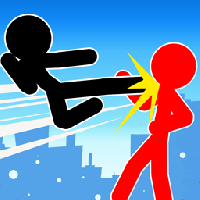
STICKMAN FIGHTER MEGA BRAWL















SIMILAR GAMES
































Description


Stickman Fighter Mega Brawl - Unblocked Games at School
About Stickman Fighter Mega Brawl - Unblocked Games at School
Stickman Fighter Mega Brawl is a fast paced action title that brings the classic stick figure combat style into a modern multiplayer arena. The game is hosted on the UBG at School platform, which specializes in providing unblocked games that can be accessed directly from school networks without requiring additional downloads or plugins. Players assume the role of a stickman hero and engage in intense battles against friends or AI opponents, utilizing a wide array of weapons, combos, and special moves. The game’s simplicity belies its depth, as each match rewards strategic thinking, quick reflexes, and mastery of the control scheme.
Gameplay Overview
The core of Stickman Fighter Mega Brawl revolves around 1v1 or 2v2 matches set in dynamic arenas that feature platforms, obstacles, and interactive elements. Each round begins with a brief lobby where players can select from a roster of unlocked fighters, each possessing unique attributes such as speed, strength, and special attack patterns. Once the match starts, the objective is to deplete the opponent’s health bar while avoiding attacks and executing counter combos. The control system is intentionally straightforward: arrow keys or WASD handle movement, while a combination of letter keys triggers punches, kicks, and signature super attacks.
Key Features
Several standout features contribute to the game’s lasting appeal:
- Diverse Character Roster – Over twenty distinct stickman avatars, each with customizable skins and upgrade paths.
- Combo System – Players can chain basic attacks into elaborate combos, unlocking special moves that deliver massive damage.
- Progression Mechanics – Winning matches grants experience points that can be invested in skill trees, enhancing attributes and unlocking new techniques.
- Multiplayer Modes – Public matchmaking, private rooms, and tournament brackets enable both casual and competitive play.
- Retro Aesthetic – Minimalist graphics combined with vibrant color palettes evoke a nostalgic arcade feel.
Visual Design and Controls
The visual design emphasizes clarity and responsiveness. Backgrounds are stripped down to focus attention on the fighters, while subtle animations convey the impact of each hit. Controls are displayed on-screen during gameplay, allowing new players to quickly grasp the mapping of actions to keys. Voice prompts and visual cues signal when a special attack is ready, encouraging strategic timing.
Community and Competition
Because the game is hosted on a dedicated unblocked platform, it has cultivated an active community of students and young gamers who share strategies, create fan art, and organize local tournaments. Leaderboards track top performers, fostering a competitive spirit that motivates players to refine their skills. Forums attached to the site allow discussion of optimal character builds and upcoming updates, ensuring the meta evolves alongside player feedback.
Accessing the Game Safely
To play Stickman Fighter Mega Brawl on the school network, users simply navigate to the UBG at School website, locate the game in the catalog, and click the start button. No additional software installations are required, and the game runs entirely within the browser, minimizing security risks. Parents and educators can monitor activity through built‑in usage statistics, ensuring that gameplay remains within appropriate time limits.
Why It Stands Out Among Unblocked Games
Compared to many other unblocked titles, Stickman Fighter Mega Brawl offers a richer gameplay loop, deeper customization, and a more engaging multiplayer experience. Its blend of accessibility and strategic depth makes it suitable for both short breaks between classes and extended gaming sessions after school hours. The continuous addition of new characters, arenas, and events keeps the community vibrant and ensures that the game remains fresh long after its initial release.
Final Thoughts
Stickman Fighter Mega Brawl exemplifies how a simple visual style can be transformed into a compelling competitive experience through thoughtful design and community engagement. By delivering a seamless, unblocked gaming solution, the platform enables students to enjoy high‑quality entertainment without compromising network security or academic responsibilities. For anyone seeking an adrenaline‑pumping duel that can be launched instantly from any browser, this title remains a premier choice within the unblocked gaming landscape.
Play Stickman Fighter Mega Brawl for free on Unblocked Games at School,
Discover a platform packed with thousands of top-tier games, completely ad-free and simple to enjoy from any location. Get ready for endless fun with our unblocked games—play using your keyboard or just a click!
How to Play Unblocked Games on ubgatschool.gitlab.io
Steps to Play
Playing unblocked games on ubgatschool.gitlab.io is straightforward and designed for quick access, especially in environments like schools where gaming sites might be restricted. Follow these steps to get started:
- Access the Website: Open a web browser (Chrome, Firefox, or Edge work well) and navigate to ubgatschool.gitlab.io. The site is optimized for instant play, so no downloads or installations are needed.
- Browse the Game Library: Once on the homepage, you’ll see a collection of games across various genres like action, adventure, puzzle, sports, or strategy. Scroll through or use any available search or category filters to find a game that interests you.
- Select a Game: Click on a game’s icon or title. The site is designed to load games directly in your browser, often in fullscreen mode for an immersive experience.
- Start Playing: Most games launch immediately without additional setup. Some may have a brief loading screen. If a game offers customizable settings (like graphics or sound), adjust them before starting for the best experience.
- Bypass Restrictions (if needed): If the site is blocked on a school network, try accessing it via a different device or network. Some users report success by using .io or GitLab links, as these are less likely to be flagged by filters.
- Enjoy Ad-Free Gaming: The platform aims to provide an uninterrupted experience, so you can focus on gameplay without pop-ups or ads.
Game Controls
Controls vary by game genre, but below are common setups for popular types of games you’re likely to find on ubgatschool.gitlab.io. Check individual game instructions for specific details, as some titles may use unique configurations.
Action/Platformer Games (e.g., Stickman games, Retro Bowl)
- Arrow Keys or WASD: Move character left, right, up, or jump.
- Spacebar: Attack, shoot, or perform special actions.
- Shift: Sprint or dodge (in some games).
- Mouse Click: Aim or interact with objects (if applicable).
Puzzle/Strategy Games (e.g., 2048, Geometry Dash)
- Arrow Keys: Navigate tiles, pieces, or menus.
- Mouse Click/Drag: Select or move items (common in match-3 or building games).
- Spacebar: Pause or confirm selections.
- Enter: Start or restart the game.
Sports/Racing Games (e.g., Slope Game)
- Arrow Keys or WASD: Steer vehicle or control player movement.
- Spacebar: Accelerate or jump.
- Shift: Brake or boost (in racing titles).
- Mouse: Adjust camera angle or aim (in some sports games).
Multiplayer/Arcade Games (e.g., Slither.io)
- Mouse: Guide character or cursor (especially in .io-style games).
- Left Click: Boost speed or activate abilities.
- Arrow Keys: Alternative movement controls in some titles.
- Spacebar: Pause or trigger special moves.
Tips for Smooth Gameplay
- Check Game Instructions: Many games include a tutorial or control guide on the start screen.
- Adjust Settings: If a game feels laggy, lower graphics settings (if available) to match your device’s capabilities.
- Stay Responsive: Some games, especially action titles, rely on quick reactions, so ensure your keyboard or mouse is functioning well.
- Bookmark the Site: Save ubgatschool.gitlab.io for easy access during breaks.
This setup should help you dive into gaming on ubgatschool.gitlab.io with ease. If you add specific games or control schemes later, consider including a “Controls” section on each game’s page for clarity. Enjoy gaming!
How to Play Unblocked Games on ubgatschool.gitlab.io
Steps to Play
Playing unblocked games on ubgatschool.gitlab.io is straightforward and designed for quick access, especially in environments like schools where gaming sites might be restricted. Follow these steps to get started:
- Access the Website: Open a web browser (Chrome, Firefox, or Edge work well) and navigate to ubgatschool.gitlab.io. The site is optimized for instant play, so no downloads or installations are needed.
- Browse the Game Library: Once on the homepage, you’ll see a collection of games across various genres like action, adventure, puzzle, sports, or strategy. Scroll through or use any available search or category filters to find a game that interests you.
- Select a Game: Click on a game’s icon or title. The site is designed to load games directly in your browser, often in fullscreen mode for an immersive experience.
- Start Playing: Most games launch immediately without additional setup. Some may have a brief loading screen. If a game offers customizable settings (like graphics or sound), adjust them before starting for the best experience.
- Bypass Restrictions (if needed): If the site is blocked on a school network, try accessing it via a different device or network. Some users report success by using .io or GitLab links, as these are less likely to be flagged by filters.
- Enjoy Ad-Free Gaming: The platform aims to provide an uninterrupted experience, so you can focus on gameplay without pop-ups or ads.
Game Controls
Controls vary by game genre, but below are common setups for popular types of games you’re likely to find on ubgatschool.gitlab.io. Check individual game instructions for specific details, as some titles may use unique configurations.
Action/Platformer Games (e.g., Stickman games, Retro Bowl)
- Arrow Keys or WASD: Move character left, right, up, or jump.
- Spacebar: Attack, shoot, or perform special actions.
- Shift: Sprint or dodge (in some games).
- Mouse Click: Aim or interact with objects (if applicable).
Puzzle/Strategy Games (e.g., 2048, Geometry Dash)
- Arrow Keys: Navigate tiles, pieces, or menus.
- Mouse Click/Drag: Select or move items (common in match-3 or building games).
- Spacebar: Pause or confirm selections.
- Enter: Start or restart the game.
Sports/Racing Games (e.g., Slope Game)
- Arrow Keys or WASD: Steer vehicle or control player movement.
- Spacebar: Accelerate or jump.
- Shift: Brake or boost (in racing titles).
- Mouse: Adjust camera angle or aim (in some sports games).
Multiplayer/Arcade Games (e.g., Slither.io)
- Mouse: Guide character or cursor (especially in .io-style games).
- Left Click: Boost speed or activate abilities.
- Arrow Keys: Alternative movement controls in some titles.
- Spacebar: Pause or trigger special moves.
Tips for Smooth Gameplay
- Check Game Instructions: Many games include a tutorial or control guide on the start screen.
- Adjust Settings: If a game feels laggy, lower graphics settings (if available) to match your device’s capabilities.
- Stay Responsive: Some games, especially action titles, rely on quick reactions, so ensure your keyboard or mouse is functioning well.
- Bookmark the Site: Save ubgatschool.gitlab.io for easy access during breaks.
This setup should help you dive into gaming on ubgatschool.gitlab.io with ease. If you add specific games or control schemes later, consider including a “Controls” section on each game’s page for clarity. Enjoy gaming!