XMAS SLOPE















SIMILAR GAMES
































Description


Xmas Slope - Unblocked Games at School
About Xmas Slope - Unblocked Games at School
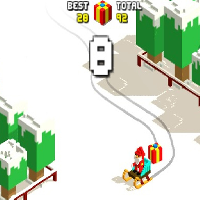
Xmas Slope is a seasonal themed endless runner that challenges players to guide a festive snowball down a winding hill covered in decorative lights and holiday decorations. The game is hosted on the popular platform UBG at School and is specifically designed to remain accessible during school hours when many traditional gaming sites are blocked. Its bright visual style and simple control scheme make it a favorite among students looking for a quick, engaging break between classes.
Gameplay Mechanics of Xmas Slope
The core mechanic of Xmas Slope revolves around tapping or pressing a designated key to steer the snowball left or right while avoiding obstacles such as candy canes, gift boxes, and peppermint obstacles that appear randomly. Each successful pass increases the player’s score and adds a festive visual effect, encouraging repeated plays. As the slope becomes steeper, the speed increases, demanding sharper reflexes and precise timing.
Scoring System and Rewards
Points are awarded based on distance traveled and the number of obstacles successfully avoided. Bonus points are granted when players collect special holiday items such as ornaments or snowflakes that occasionally appear on the track. Achieving high scores unlocks festive skins for the snowball, providing a visual incentive to keep playing.
Features That Make Xmas Slope Stand Out
- Seasonal Theme: The game incorporates holiday music, animated snowfall, and themed obstacles that are only available during the winter break.
- Easy Accessibility: Because it is hosted on UBG at School, the game loads quickly on school computers without requiring downloads or special plugins.
- Multiplayer Options: A leaderboard displays the highest scores among classmates, fostering friendly competition.
- Customizable Controls: Players can adjust sensitivity and choose between touch or keyboard input depending on the device they are using.
Tips for Mastering Xmas Slope
To improve your performance in Xmas Slope, consider the following strategies:
- Focus on the Center: Keeping the snowball near the middle of the path provides the most room to react to obstacles appearing on either side.
- Anticipate Patterns: Many obstacles follow predictable sequences; observing early rounds can help you predict where future obstacles will appear.
- Use Timing Wisely: Tap just before an obstacle appears rather than during the obstacle’s movement to maximize control.
- Collect Bonus Items: Gathering ornaments not only boosts your score but also provides temporary shield effects that protect against collisions.
- Maintain Consistent Rhythm: A steady tapping rhythm reduces the chance of accidental over‑steering that can cause a crash.
How to Access Xmas Slope Safely at School
Accessing Xmas Slope while at school is straightforward when using the official UBG at School portal. Follow these steps to ensure a smooth and secure experience:
- Open the school’s approved web browser and navigate to https://ubgatschool.gitlab.io/.
- Locate the “Winter Games” section where Xmas Slope is featured under festive categories.
- Click the game thumbnail; the loading screen will display a brief animated snowfall before gameplay begins.
- Once the game loads, you can start playing immediately without the need for registration.
It is recommended to keep the browser tab open in a separate window to avoid accidental interruptions from school announcements or system updates.
Common Questions About Playing at School
Students often have questions about using Xmas Slope during class breaks. Below are concise answers:
- Is the game allowed during class? The platform is designated for designated break periods only; playing during instructional time may violate school policy.
- Do I need headphones? Headphones are optional; the game’s sound effects are subtle and can be muted if the classroom environment requires silence.
- Can I share my score? Scores are automatically uploaded to the shared leaderboard; you can view rankings but should not share personal login information.
Community and Sharing Features
Xmas Slope includes built‑in social elements that let players compare achievements with peers. The platform automatically records the highest score achieved and displays it on a communal leaderboard. Students can also screenshot their festive snowball skins and share them within the school’s internal network, fostering a sense of community around seasonal gaming.
Leaderboard Mechanics
The leaderboard updates in real time, ranking players based on cumulative scores across all holiday sessions. Top positions are highlighted with animated ribbons, and the highest scorer each week receives a virtual “Holiday Champion” badge displayed on their profile.
Future Updates and Seasonal Events
The development team behind UBG at School plans to introduce new winter-themed obstacles, additional power‑ups, and multiplayer tournaments during the holiday season. These updates aim to keep the gameplay fresh and maintain student engagement throughout the break.
Potential Challenges and Solutions
Some players may encounter lag on older school computers. To mitigate this, the platform offers a lightweight version of the game with reduced graphics settings, ensuring smoother performance without sacrificing core gameplay.
Play Xmas Slope for free on Unblocked Games at School,
Discover a platform packed with thousands of top-tier games, completely ad-free and simple to enjoy from any location. Get ready for endless fun with our unblocked games—play using your keyboard or just a click!
How to Play Unblocked Games on ubgatschool.gitlab.io
Steps to Play
Playing unblocked games on ubgatschool.gitlab.io is straightforward and designed for quick access, especially in environments like schools where gaming sites might be restricted. Follow these steps to get started:
- Access the Website: Open a web browser (Chrome, Firefox, or Edge work well) and navigate to ubgatschool.gitlab.io. The site is optimized for instant play, so no downloads or installations are needed.
- Browse the Game Library: Once on the homepage, you’ll see a collection of games across various genres like action, adventure, puzzle, sports, or strategy. Scroll through or use any available search or category filters to find a game that interests you.
- Select a Game: Click on a game’s icon or title. The site is designed to load games directly in your browser, often in fullscreen mode for an immersive experience.
- Start Playing: Most games launch immediately without additional setup. Some may have a brief loading screen. If a game offers customizable settings (like graphics or sound), adjust them before starting for the best experience.
- Bypass Restrictions (if needed): If the site is blocked on a school network, try accessing it via a different device or network. Some users report success by using .io or GitLab links, as these are less likely to be flagged by filters.
- Enjoy Ad-Free Gaming: The platform aims to provide an uninterrupted experience, so you can focus on gameplay without pop-ups or ads.
Game Controls
Controls vary by game genre, but below are common setups for popular types of games you’re likely to find on ubgatschool.gitlab.io. Check individual game instructions for specific details, as some titles may use unique configurations.
Action/Platformer Games (e.g., Stickman games, Retro Bowl)
- Arrow Keys or WASD: Move character left, right, up, or jump.
- Spacebar: Attack, shoot, or perform special actions.
- Shift: Sprint or dodge (in some games).
- Mouse Click: Aim or interact with objects (if applicable).
Puzzle/Strategy Games (e.g., 2048, Geometry Dash)
- Arrow Keys: Navigate tiles, pieces, or menus.
- Mouse Click/Drag: Select or move items (common in match-3 or building games).
- Spacebar: Pause or confirm selections.
- Enter: Start or restart the game.
Sports/Racing Games (e.g., Slope Game)
- Arrow Keys or WASD: Steer vehicle or control player movement.
- Spacebar: Accelerate or jump.
- Shift: Brake or boost (in racing titles).
- Mouse: Adjust camera angle or aim (in some sports games).
Multiplayer/Arcade Games (e.g., Slither.io)
- Mouse: Guide character or cursor (especially in .io-style games).
- Left Click: Boost speed or activate abilities.
- Arrow Keys: Alternative movement controls in some titles.
- Spacebar: Pause or trigger special moves.
Tips for Smooth Gameplay
- Check Game Instructions: Many games include a tutorial or control guide on the start screen.
- Adjust Settings: If a game feels laggy, lower graphics settings (if available) to match your device’s capabilities.
- Stay Responsive: Some games, especially action titles, rely on quick reactions, so ensure your keyboard or mouse is functioning well.
- Bookmark the Site: Save ubgatschool.gitlab.io for easy access during breaks.
This setup should help you dive into gaming on ubgatschool.gitlab.io with ease. If you add specific games or control schemes later, consider including a “Controls” section on each game’s page for clarity. Enjoy gaming!
How to Play Unblocked Games on ubgatschool.gitlab.io
Steps to Play
Playing unblocked games on ubgatschool.gitlab.io is straightforward and designed for quick access, especially in environments like schools where gaming sites might be restricted. Follow these steps to get started:
- Access the Website: Open a web browser (Chrome, Firefox, or Edge work well) and navigate to ubgatschool.gitlab.io. The site is optimized for instant play, so no downloads or installations are needed.
- Browse the Game Library: Once on the homepage, you’ll see a collection of games across various genres like action, adventure, puzzle, sports, or strategy. Scroll through or use any available search or category filters to find a game that interests you.
- Select a Game: Click on a game’s icon or title. The site is designed to load games directly in your browser, often in fullscreen mode for an immersive experience.
- Start Playing: Most games launch immediately without additional setup. Some may have a brief loading screen. If a game offers customizable settings (like graphics or sound), adjust them before starting for the best experience.
- Bypass Restrictions (if needed): If the site is blocked on a school network, try accessing it via a different device or network. Some users report success by using .io or GitLab links, as these are less likely to be flagged by filters.
- Enjoy Ad-Free Gaming: The platform aims to provide an uninterrupted experience, so you can focus on gameplay without pop-ups or ads.
Game Controls
Controls vary by game genre, but below are common setups for popular types of games you’re likely to find on ubgatschool.gitlab.io. Check individual game instructions for specific details, as some titles may use unique configurations.
Action/Platformer Games (e.g., Stickman games, Retro Bowl)
- Arrow Keys or WASD: Move character left, right, up, or jump.
- Spacebar: Attack, shoot, or perform special actions.
- Shift: Sprint or dodge (in some games).
- Mouse Click: Aim or interact with objects (if applicable).
Puzzle/Strategy Games (e.g., 2048, Geometry Dash)
- Arrow Keys: Navigate tiles, pieces, or menus.
- Mouse Click/Drag: Select or move items (common in match-3 or building games).
- Spacebar: Pause or confirm selections.
- Enter: Start or restart the game.
Sports/Racing Games (e.g., Slope Game)
- Arrow Keys or WASD: Steer vehicle or control player movement.
- Spacebar: Accelerate or jump.
- Shift: Brake or boost (in racing titles).
- Mouse: Adjust camera angle or aim (in some sports games).
Multiplayer/Arcade Games (e.g., Slither.io)
- Mouse: Guide character or cursor (especially in .io-style games).
- Left Click: Boost speed or activate abilities.
- Arrow Keys: Alternative movement controls in some titles.
- Spacebar: Pause or trigger special moves.
Tips for Smooth Gameplay
- Check Game Instructions: Many games include a tutorial or control guide on the start screen.
- Adjust Settings: If a game feels laggy, lower graphics settings (if available) to match your device’s capabilities.
- Stay Responsive: Some games, especially action titles, rely on quick reactions, so ensure your keyboard or mouse is functioning well.
- Bookmark the Site: Save ubgatschool.gitlab.io for easy access during breaks.
This setup should help you dive into gaming on ubgatschool.gitlab.io with ease. If you add specific games or control schemes later, consider including a “Controls” section on each game’s page for clarity. Enjoy gaming!